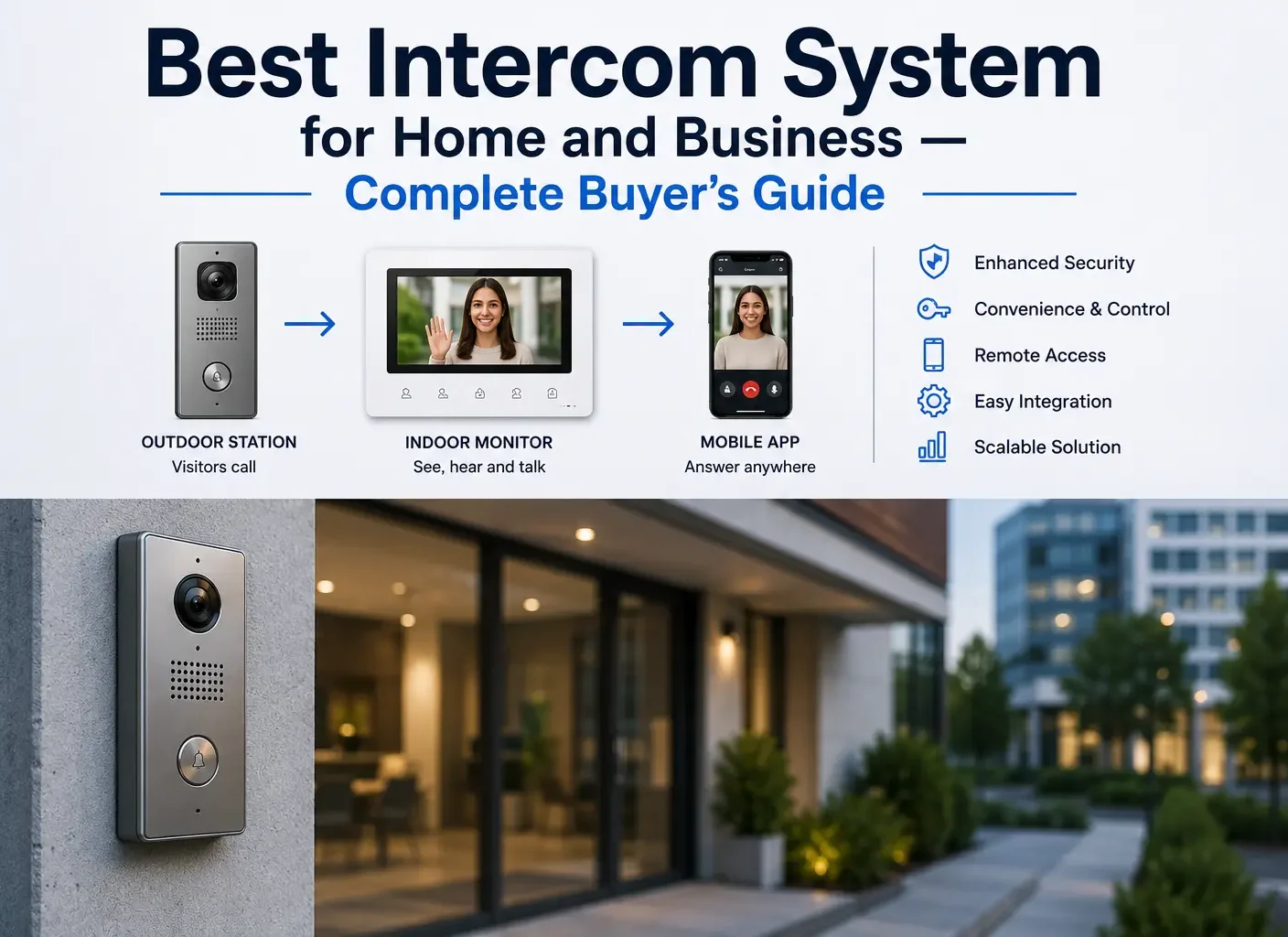
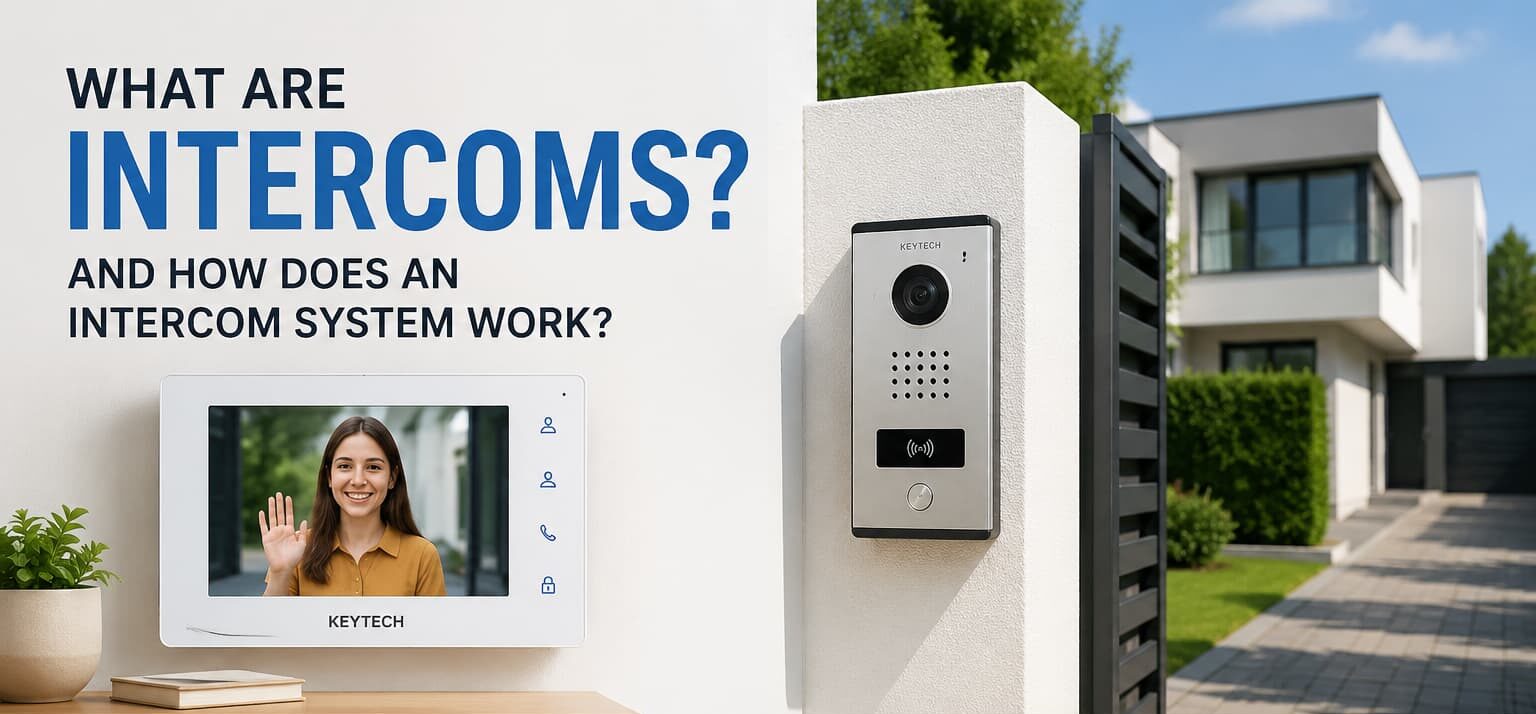

An intercom is a communication device installed at a door, gate, or lobby so a visitor can call before entry is approved. A modern intercom system can also handle video, mobile answering, visitor confirmation, and remote lock release from one connected entry setup.
What Are Intercoms and What Are They Used For?
A secured entrance creates a simple practical question: who is outside, and should the door open? Intercoms answer that question before anyone unlocks the entrance blindly or walks to the door every time someone arrives.
In real buildings, the challenge is rarely the call button alone. The entrance may be exposed to rain, the lock may need a relay, the lobby may need a resident directory, or the manager may need app-based access. Key Tech would normally look at the doorway, the users, and the access routine before recommending equipment.
The correct choice also depends on how the property is used during the day. A family home may only need occasional visitor calls. A shared lobby may receive couriers, guests, cleaners, and maintenance staff from morning to evening. A business entrance may need clearer records, staff permissions, and after-hours control.
What Is an Intercom?
what is an intercom? It is a two-way communication device with a microphone, speaker, and call button. One part sits outside near a door or gate. The answering point can be a handset, wall monitor, reception console, or mobile app.
Some units are voice-only. Others include a camera, keypad, card reader, directory, or internet-based calling.
What Is an Intercom System?
What is an intercom system? It is the complete system that connects the entrance panel with the person who answers. It may include power, cabling, network settings, indoor stations, door release wiring, user permissions, and management software.
A good system is not just a nice-looking panel. It has to match the lock, wiring path, building layout, and daily visitor traffic.
Poor planning can create avoidable problems later. For example, a camera may be too low for clear face capture, a wireless signal may be weak near a gate, or the lock may not be compatible with the release output. These details matter more than many buyers expect.
What Are Intercom Systems Used For?
These entry setups are used for access decisions, communication, and visitor control.
Common Uses of Intercom Systems
- Home security
- Apartment visitor management
- Commercial building access control
- Internal communication
- Remote door unlocking
- Video verification of visitors
How Does an Intercom Work?
How does an intercom work? A visitor presses the call button, the entrance panel sends the call to the assigned user, and the user answers. If entry is approved, the system sends a signal to release the door, gate, or electric lock.
The connection may run through low-voltage cable, Wi-Fi, cellular service, or a data network. The route depends on the building. A private gate, apartment lobby, office reception door, and warehouse entrance each need a different installation plan.
The answering point also matters. Some properties use a fixed indoor screen. Others prefer mobile answering because the owner, manager, or staff member may not always be near the door. In larger buildings, the setup may include directories, permissions, and call routing rules.
How Does an Intercom System Work?
How does an intercom system work? The entrance panel captures sound and, in camera models, live video. The call reaches the answering point. The user checks the visitor and decides whether the door remains locked or opens.
How do apartment intercoms work? A visitor selects a resident from the directory or enters a unit code. The resident answers from a wall station or phone, confirms the visit, and opens the lobby door only if access is appropriate.
How Does an Intercom Work With Audio and Video?
Audio allows a direct voice conversation. Video adds visual confirmation, which is useful when the visitor is unfamiliar, the delivery is unexpected, or the entrance is shared by many users.
Camera quality depends on placement as much as the product itself. Height, glare, night lighting, weather exposure, and network stability can all affect daily performance.
|
Feature |
Audio Intercom |
Video Intercom |
| Communication | Voice only | Voice and live image |
| Security level | Standard | Higher because the visitor can be seen |
| Visitor verification | Based on speech | Based on image, speech, and entrance context |
| Cost | Usually lower | Usually higher due to camera and display features |
| Best for | Side doors, small homes, staff areas | Apartments, offices, retail entrances, managed buildings |
| Main concern | No visual confirmation | Needs correct camera angle and stable connection |
Wired vs Wireless Intercom Systems
A wired system is usually preferred for busy entrances, commercial sites, and larger residential properties. It requires cable planning, but it is normally more stable once installed.
A wireless system can be useful when new cabling is difficult or too disruptive. It should still be checked carefully. Thick walls, long distance, outdoor exposure, weak Wi-Fi, and poor power access can affect how calls work.
For retrofit projects, this choice often becomes a balance between disruption and reliability. A clean cable route may justify a wired layout. A finished wall, long driveway, or rented space may make a wireless access panel more realistic.
Types of Intercom Systems
Types of intercom systems include audio, video, wired, wireless, IP, and smart access models. The best system depends on the number of doors, number of users, lock hardware, visitor flow, and management needs.
Audio Intercom Systems
Audio models suit places where a voice check is enough. They may be used for private entrances, storage rooms, staff-only doors, small offices, and service areas.
Video Intercom Systems
Camera-based models are better when visual confirmation is important. They are often selected for front doors, apartment lobbies, reception areas, delivery points, and shared entrances.
Smart and IP Intercom Systems
Smart and IP models connect through a data network. Depending on the product, they may support app answering, resident directories, access logs, QR codes, PINs, schedules, and connection with other access hardware.
Main Types of Intercom Systems
- Audio intercom systems
- Video intercom systems
- Wireless intercom systems
- Wired intercom systems
- IP intercom systems
- Smart intercom systems
Intercom Systems for Apartments, Homes, and Businesses
A home, apartment building, office, and warehouse should not be treated as the same project. The system has to fit the entrance, the people who use it, and the way access is managed after installation.
Home Intercom Systems
For a home, the main goal is usually convenience. A compact video door station can let the owner answer from a phone, see who arrived, and open a gate when compatible hardware is connected.
Commercial Intercom Systems
Commercial properties need stronger access rules. Deliveries, staff changes, cleaners, contractors, and after-hours visits all affect the design. Key Tech may recommend call routing, permission levels, entry history, and integration with door control.
|
Property Type |
Recommended System |
Why It Fits |
| Small home | Wireless video entry panel | Clear visitor view, phone answering, lighter installation |
| Apartment building | IP video entry panel | Resident directory, remote access, scalable management |
| Office building | Smart access control platform | Staff permissions, visitor handling, activity logs |
| Warehouse | Wired entry panel | Stable connection for larger or harder-use areas |
Intercom Solution
A good intercom solution begins with a site review. The installer checks the wall surface, cable route, power source, lock type, network quality, weather exposure, and the number of people who need to answer calls.
This avoids a common mistake: choosing a modern device that does not suit the real doorway. A public lobby may need a clear camera view and directory. An internal staff door may only need simple voice contact and controlled release.
A practical solution should also account for future changes. Tenants move, employees leave, delivery routines change, and access schedules may need updating. If the platform is difficult to manage, a strong installation can still become inconvenient over time.
Intercom Services
Key Tech can support planning, equipment selection, replacement of outdated panels, configuration, testing, and connection with access control where required.
The service should also answer practical questions. Who can unlock the door? Who updates users? How are calls routed after hours? What happens when tenants or staff change?
Intercom Installation
Installation is not only mounting a panel. It may include cable protection, power setup, lock wiring, camera positioning, weather sealing, network configuration, user programming, and final testing.
Small faults quickly become daily problems. Missed calls, unclear sound, slow unlocking, poor images, and confused users often come from weak planning rather than bad equipment.
A proper handover is also important. Residents, staff, or managers should know how to answer calls, release the door, adjust users, and report faults. Without that, even reliable hardware may feel complicated.
Benefits and Drawbacks of Intercom Systems
Benefits of Modern Intercom Systems
- Visitors can be checked before the door opens
- Residents or staff can answer without walking to the entrance
- Deliveries and contractors can be handled with clearer control
- Mobile answering can help owners and managers away from the property
- Entry history can support security reviews
- A planned system can reduce missed visitors and unnecessary interruptions
Potential Drawbacks of Intercom Systems
- Weak Wi-Fi or damaged cable can cause unreliable calls
- Poor camera placement can reduce video value
- Some smart platforms may involve monthly software fees
- Older buildings may need extra low-voltage work before installation
- Bad configuration can make good equipment difficult to use
Final Thoughts
Intercoms are practical entry tools for checking who is outside before a door opens. They can support a home, apartment lobby, business entrance, retail door, or warehouse gate.
For Key Tech, the best result comes from matching the system to the real site: door layout, lock hardware, wiring, visitor flow, user habits, and long-term management. When those details are handled properly, the entry setup becomes safer, easier to use, and more reliable in everyday work.