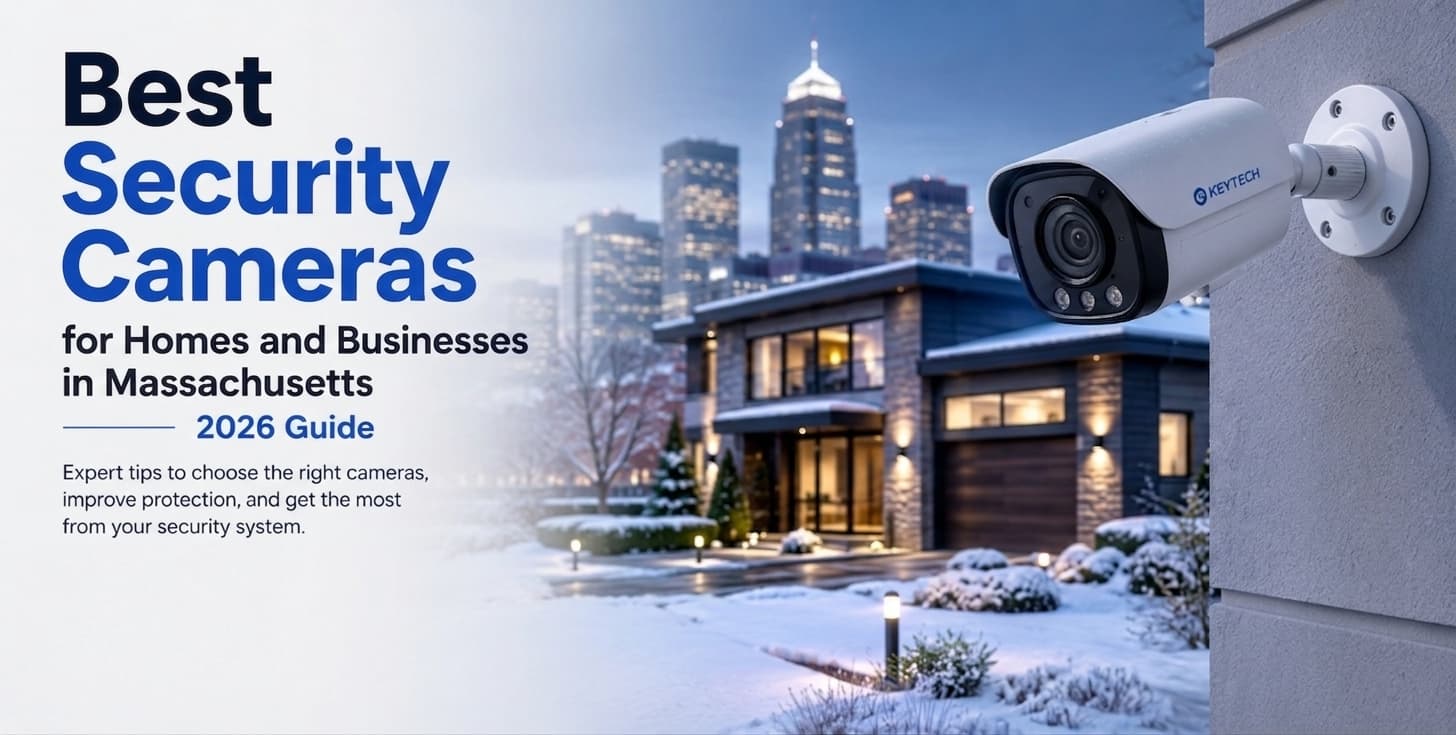

The best security cameras are selected for a defined viewing task. Homes often need weather-rated fixed units and a doorbell device, while businesses may require PoE, PTZ, or multi-view coverage. For Massachusetts properties, exterior equipment should withstand snow, moisture, and temperature swings. Lens choice, placement, lighting, storage, and configuration matter more than a long feature list.
The best security cameras are not necessarily the devices with the highest resolution or the longest specification sheet. Good surveillance begins with a practical question: what must the recorded image show?
At a house, the priority may be recognizing someone at the front entrance or reviewing activity near a driveway. A retailer may need a clear record of transactions and stockroom access. An office may focus on reception and service entrances, while a large commercial property may require several coordinated views across loading zones, vehicle lanes, and pedestrian routes.
The best security camera is therefore one selected for a particular distance, viewing angle, light level, and operating environment. Resolution matters, but it cannot compensate for poor positioning, an unsuitable lens, weak connectivity, or inadequate recording capacity.
This guide compares the main equipment categories and explains how to select useful surveillance coverage without turning the decision into a product list.
What Makes a Security Camera the “Best”? Key Criteria
Before comparing hardware, define the required result.
Do you need to know that someone entered an area, or must you be able to recognize the person? Should the recorded image show a complete room, a vehicle lane, a package area, or the details of a transaction? How far will the subject be from the lens?
Those questions determine the appropriate field of view, resolution, mounting height, night performance, and recording method.
A security camera system often works best when it combines wider overview images with tighter identification views. One broad device may show movement across a property but leave people and vehicles too small to examine later.
Resolution: 1080p, 4K, and Why It Matters
Resolution describes how many pixels form the recorded image. A 1080p unit may be sufficient for a compact lobby, doorway, hallway, or checkout area where the subject remains relatively close.
Higher resolution can preserve additional detail across a wider scene. However, 4K security cameras create larger files, consume more bandwidth, and require greater storage capacity.
More pixels do not automatically produce useful evidence. A distant face occupying only a small part of a 4K frame may reveal less than a closer face captured by a properly positioned 1080p device.
The relevant measurement is the amount of detail available at the subject. Scene width, lens choice, distance, lighting, and movement must therefore be considered together.
Night Vision, Field of View, and Weather Rating
Night vision security cameras may use infrared illumination, sensitive low-light sensors, visible lighting, or a combination of technologies.
Infrared can provide clear monochrome footage in darkness, but nearby walls, soffits, windows, and reflective surfaces may bounce the light back toward the lens. The result can be an overexposed foreground and a dark subject.
Color footage after dark can be useful where clothing or vehicle color matters, although it normally requires sufficient ambient or supplemental lighting.
Field of view also affects usable detail. A wide lens covers more space but makes each person or object appear smaller. A narrower lens shows less of the scene but can provide better identification at a defined point.
Exterior hardware must suit its exact location. Outdoor security cameras may require IP66 or IP67 enclosures, but the published rating only applies to the housing. Cable openings, connectors, junction boxes, and mounting surfaces must also be protected from water.
Wired vs. Wireless: Which Is More Reliable?
Wired security cameras normally transmit video through Ethernet or coaxial cable. Their physical connection makes them suitable for continuous recording, busy entrances, and larger properties where interruptions would create important gaps.
Many networked devices use Power over Ethernet. A compatible cable and switch carry both data and electrical power, reducing the need for an outlet near each mounting position.
Wireless security cameras send data through Wi-Fi, cellular service, or another radio connection. They can be practical in finished homes and retrofit locations where new cabling would be highly disruptive.
Wireless does not always mean battery-powered. Many units still require an electrical connection. Battery-operated models may conserve energy by recording only after motion is detected rather than capturing continuous footage.
Brick, concrete, metal, distance, and network congestion can weaken communication. Signal strength should be tested at the final mounting point, not beside the router.
Best Security Cameras by Use Case
The recommendations below focus on equipment class and system design rather than particular manufacturers. Each property requires a different balance of image detail, coverage, connectivity, storage, and maintenance.
Best Outdoor Security Cameras for Homes
The best outdoor security cameras for a house are usually fixed units assigned to specific approach routes. Common positions include the front entrance, driveway, garage, side gate, and backyard access.
One wide view above a garage may show that a person entered the property but provide little identification detail. Better results often come from combining an overview with a closer image along the route toward the house.
The best outdoor security cameras should provide suitable low-light performance, focused motion detection, and an enclosure matched to the exposure. Equipment beneath a covered porch faces different conditions from hardware mounted on an open wall.
Where a cable route is available, PoE generally provides dependable power and communication. A wireless arrangement may be reasonable where installation would otherwise damage finished surfaces, but coverage should be tested first.
The best outdoor security cameras should also remain accessible for cleaning and adjustment. Snow, insects, dirt, and growing vegetation can gradually block an initially clear view.
Best Indoor Security Cameras for Retail and Offices
The best indoor security cameras for retail environments are selected around particular activities rather than room dimensions alone.
A wide image can document movement across a sales floor. A tighter view near a register can preserve transaction detail. A separate position near a stockroom entrance can show who entered and what was carried through the doorway.
Trying to cover all three areas from one ceiling position often produces broad footage with limited practical value.
In an office, the best indoor security cameras may cover reception, service entrances, shared corridors, equipment rooms, and other operational spaces. Placement should follow actual movement through the building rather than the most convenient ceiling tile.
Management rules also matter. The organization should determine who can watch live footage, review recordings, export clips, and change settings. Clear device names and role-based permissions make the system easier to use.
Best Cameras for Parking Lots and Large Properties
Large exterior areas create different problems from homes and interior rooms. Long distances, moving vehicles, headlights, shadows, pole movement, and severe weather can all affect image quality.
Fixed IP cameras are useful at points where movement is predictable, including entrances, exits, pedestrian routes, payment areas, and loading lanes. These positions continue recording the same scene at all times.
PTZ cameras can help an operator follow activity across a broad property. Their limitation is that they only capture the direction in which they are aimed. When the lens turns toward one event, another area may no longer be recorded.
For an unattended lot, several fixed views often provide more dependable evidence than one movable unit. A staffed facility may combine permanent coverage with operator-controlled equipment.
The design must also account for cable distance, network transmission, pole stability, surge protection, lighting, and safe maintenance access.
Best Doorbell Cameras for Residential Use
Doorbell cameras combine close-range video, two-way audio, mobile notifications, and event recording at a primary entrance.
They are useful for seeing and speaking with a visitor standing near the door. They are not a replacement for wider surveillance covering a driveway, side route, garage, or backyard.
A powered model may operate more consistently than a battery unit. Before installation, check transformer compatibility, wireless coverage, porch lighting, mounting height, and the direction visitors naturally face.
Poor positioning may produce an image dominated by the sky, a wall, or the visitor’s torso. A modest device installed at the correct height may be more useful than a premium model placed without regard to the scene.
Best Security Camera Brands — Overview
Brand matters, but it should not be the first decision. Manufacturers serve different parts of the market, including simple residential use, small commercial sites, professionally managed buildings, and large enterprise surveillance systems.
Because the client has not supplied an approved manufacturer list, the recommendations in this article remain based on product category.
For a home, the best security camera may be a compact fixed IP unit with convenient mobile access. A retailer may need commercial equipment connected to a recorder with reliable search and export functions. A larger site may require a managed platform that supports many devices, users, and locations.
Commercial-Grade vs. Consumer Cameras: What’s the Difference?
Consumer products are generally designed for quick setup, app-based viewing, and a relatively small number of devices. They can work well in straightforward residential settings.
Commercial-grade surveillance cameras are intended for planned deployment. They may provide more lens options, stronger housings, better low-light control, centralized management, detailed permissions, and support for larger recording environments.
The difference becomes more significant as the installation expands. A commercial security camera system may need long retention, dozens of video feeds, controlled exports, health monitoring, and several permission levels.
A consumer product may produce a good image at one entrance. Commercial equipment is chosen for how the entire platform performs and is maintained over time.
Security Camera Comparison: Quick Reference
| Property or area | Recommended equipment | Main planning points | Typical objective |
| Home exterior | Fixed PoE unit or tested Wi-Fi device | Low-light image, weather protection, focused detection | Observe entrances and approach routes |
| Retail interior | Fixed dome or turret-style IP unit | Suitable lens, backlight handling, dependable recording | Review transactions and customer movement |
| Office | Fixed networked device | Discreet positioning, permissions, recording schedule | Cover reception and service areas |
| Parking lot | Multiple fixed views with optional PTZ support | Distance, lighting, poles, surge protection | Record vehicle and pedestrian routes |
| Front entrance | Powered doorbell unit | Close-range image, audio, mobile alerts | Communicate with visitors |
| Large business property | Managed PoE video network | Scalable storage, monitoring, centralized access | Coordinate several entrances or buildings |
The table provides a planning direction rather than a finished specification. Final selection depends on viewing distance, available light, cable routes, recording capacity, and the detail that must be visible.
Benefits of Professional Security Camera Installation
Professional security camera installation begins by assigning a purpose to every view. The installer determines whether the footage must identify a person, document a transaction, show general movement, or follow a vehicle route.
That purpose influences lens width, mounting height, power, lighting, recording settings, and storage. Even the best security cameras can provide weak results when equipment is selected before the viewing task is defined.
Why Placement Matters More Than the Camera Itself
Mounting position determines how large and clear the subject appears.
Equipment placed too high may record the top of a person’s head. A wide lens may display an entire parking area while leaving vehicles too small to examine. A device facing a bright entrance may lose facial detail whenever someone walks inside.
A good layout works backward from the required image. The installer identifies the subject and chooses a position that keeps it large enough, properly lit, and within the useful portion of the frame.
Seasonal changes should also be considered. Tree growth, parked vehicles, temporary displays, changing sunlight, and snow accumulation can alter the view months after installation.
Recorded playback is the final test. A clear live picture is not enough if the stored footage lacks the detail needed for review.
CCTV Installation vs. DIY Camera Setup
A DIY project often begins with the nearest outlet or strongest wireless signal. Planned CCTV installation begins with the event the owner may need to examine later.
Professional work may include:
- Measuring the distance to the subject
- Selecting a suitable lens
- Planning protected cable routes
- Calculating PoE power
- Estimating recording retention
- Setting schedules and motion zones
- Creating user permissions
- Protecting remote access
- Naming views clearly
- Testing nighttime footage
- Confirming search and export functions
A live image does not prove that the system is recording correctly. Time settings, hard-drive condition, storage rules, and retrieval procedures must also be tested.
Readers who need a basic explanation of the technology can review what is CCTV.
Choosing the Best Security Cameras in Massachusetts
The best security cameras for a local property must suit both the building and the climate. Boston-area sites may involve masonry walls, finished historic interiors, exposed parking areas, limited cable pathways, or detached structures.
These conditions may require a mixed design. One position may use PoE, another may need a protected wireless link, and a third may require a specialized mount or weather-sealed enclosure.
Weather Considerations for New England Properties
New England weather exposes exterior equipment to rain, snow, ice, heat, wind, and repeated freeze-thaw cycles.
IP66- or IP67-rated outdoor security cameras may provide an appropriate starting point, but the enclosure rating does not protect the surrounding installation. Connectors, conduit, junction boxes, cable openings, and mounting surfaces must also remain sealed.
Low-mounted equipment near roads and parking areas may encounter salt and slush. Water running from a roof edge can freeze around a housing. Reflective snow can change exposure, while ice near the lens may interfere with infrared illumination.
Exterior devices should therefore be selected according to their exact location rather than described generally as weatherproof.
Get a Professional Assessment — KeyTechPros
The best security cameras perform well because the lens, placement, power, recording, storage, and user access were planned together.
KeyTechPros evaluates viewing goals, distances, lighting, cable routes, network capacity, and retention requirements before recommending a security camera system.
For CCTV installation and professional security camera installation, the team can plan residential and commercial coverage around the property rather than a generic equipment bundle. Professional security camera installation Massachusetts property owners can rely on should provide useful recorded views, dependable storage, and straightforward access for authorized users.